A little practical help
How do you photograph children’s artwork for a book?
Lay the artwork flat in soft daylight and hold your phone directly above it, parallel to the paper. Keep all four corners in the frame, avoid shadows and check the detail before moving to the next drawing.
Find soft, even light
A table near a window is a useful starting point. Move out of direct sun and switch off lights that cast a different colour across the paper. Avoid flash, especially on shiny paint or collage materials.
Keep the paper flat and the phone straight
Use a plain surface and leave a little space around the edges. Hold the phone parallel to the artwork so the page looks rectangular, rather than wider at one end. Don’t stand between the window and the picture.
Check sharpness and colour
Wipe the camera lens, tap the artwork to focus and keep your hands steady. Look closely at pencil lines and small details. If the photo is blurred or a reflection covers part of the picture, retake it. Editing cannot recover missing detail.
Tidy the photo without changing the drawing
In the creator, choose “Tidy this photo” on an uploaded artwork to crop and straighten it. White-paper artwork also has an optional lighting correction. Preview the result and compare it with the original before keeping it. This tidies the photograph; it does not redraw the child’s work.
Use the white-paper setting only when the paper is actually white. On coloured paper, correcting it towards white can change the colours you wanted to keep. Keep the original if the result loses faint pencil marks or washes out paint.
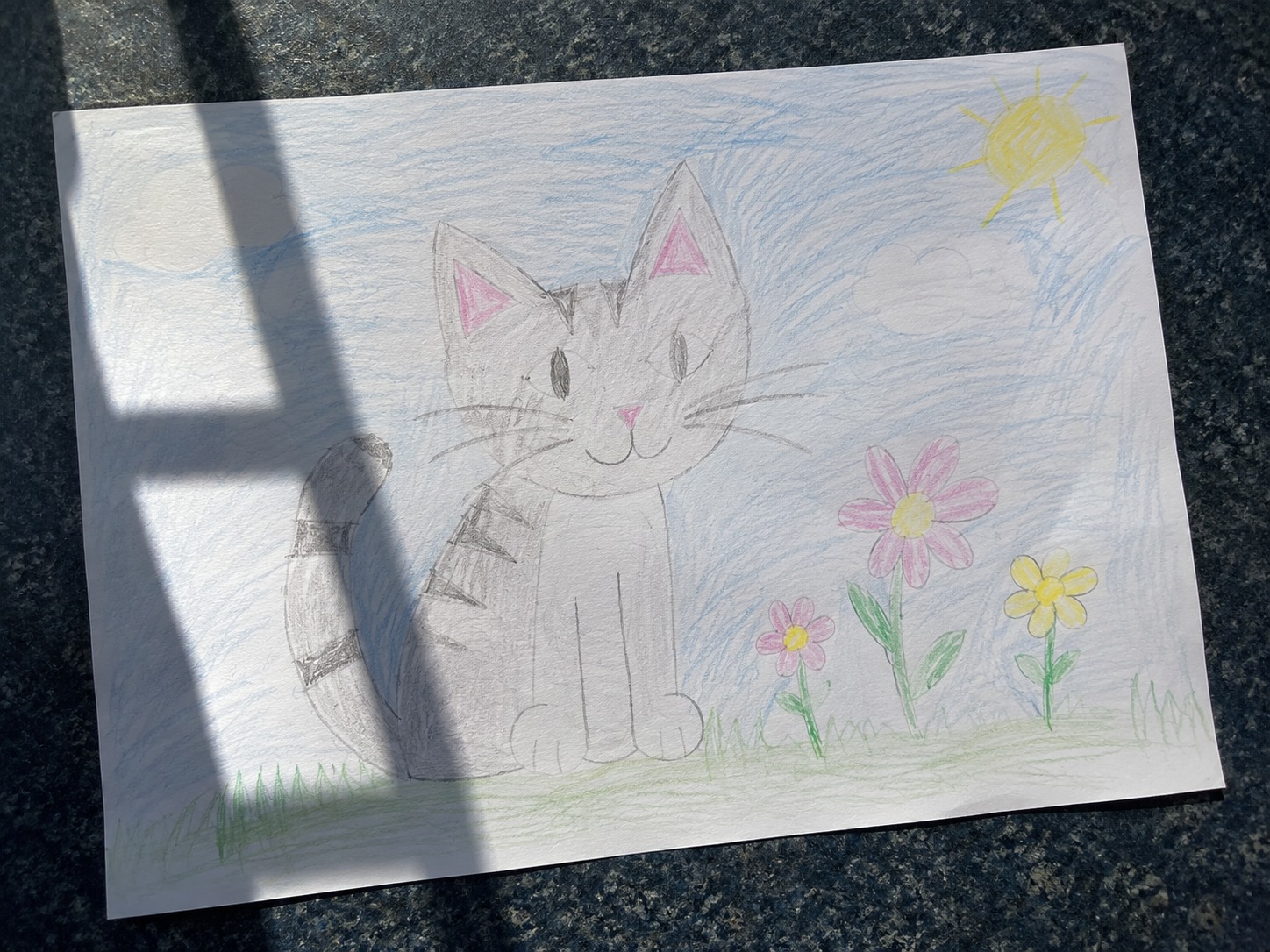
A practice photo from our correction examples. A strong shadow is a reason to try a better-lit photo first. You can explore the correction examples inside the creator.
Upload and check the book preview
The creator accepts JPG, PNG and HEIC/HEIF files up to 8 MB each. HEIC/HEIF photos are converted in your browser, which may take a moment. If a file cannot be converted, export a JPG or PNG and try again. Keep your original files as a backup.
Check the picture again in the page preview. Make sure important details are inside the page and the crop still feels right. For an account-saved book, also check the printable proof before approving it.